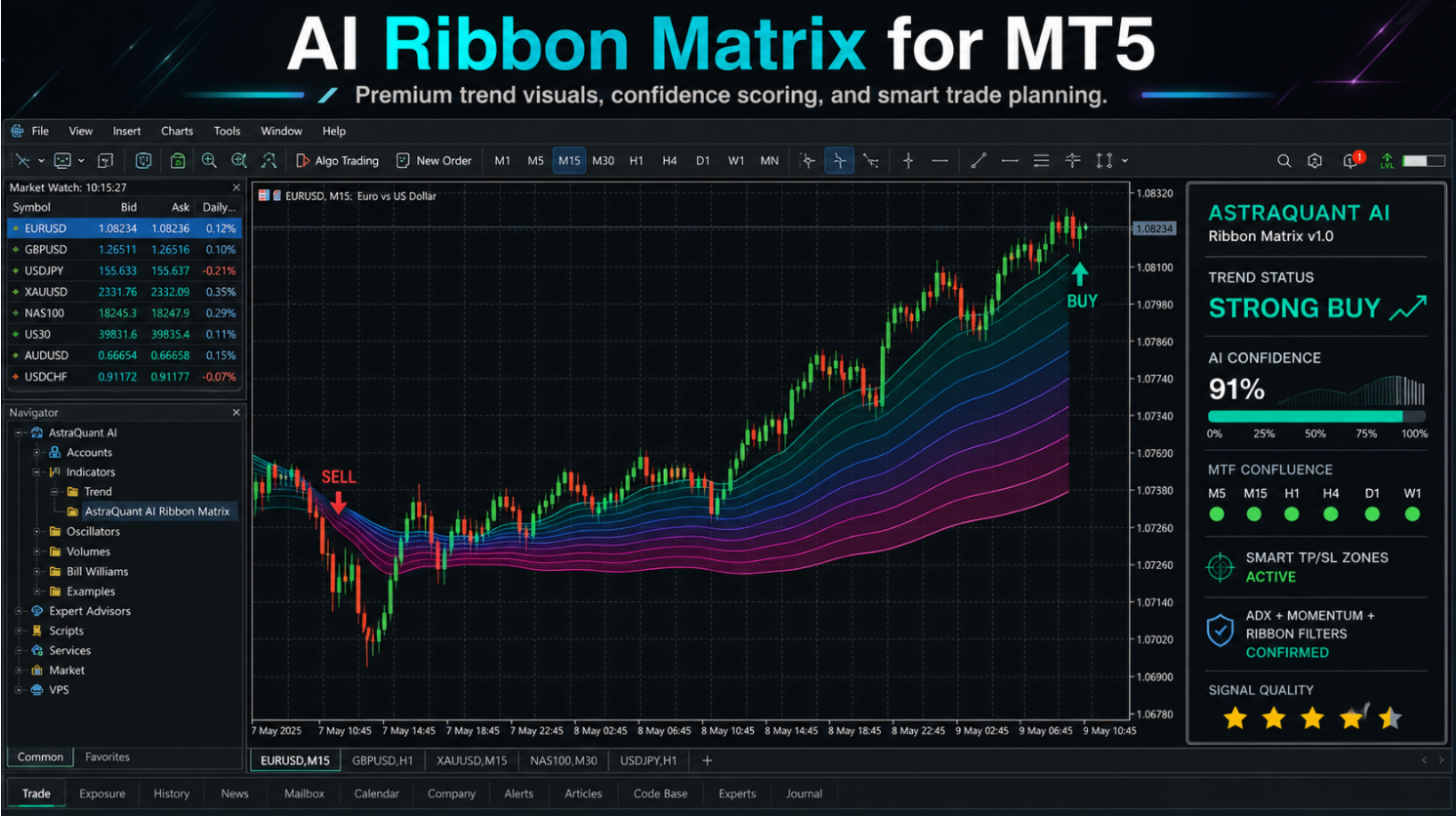
NeonPulse Pro MT5 should be evaluated as part of a complete trading process. The product can organize signals, execution, or management, but the trader still needs market context, risk limits, and a reason for every decision.
This guide focuses on practical use: when the tool makes sense, what conditions to avoid, and how to test it before relying on it with real money.
Why Visual Indicators Can Help or Hurt
A strong visual indicator can make a chart easier to read. It can also make a trader lazy if every color change is treated as a trade. NeonPulse Pro MT5 should be approached as a decision-support dashboard, not as permission to click without context.
The best use of this type of tool is to reduce chart noise. If it helps you see trend direction, trade planning levels, and signal context faster, it has value. If it becomes another reason to overtrade, the process needs to be tightened.
How I Would Read a Signal
I would not take a NeonPulse signal in isolation. First, I would check higher-timeframe direction. Second, I would check whether the current market is moving with enough range. Third, I would confirm that the entry is not directly into an obvious support, resistance, or liquidity area.
A signal near a clean pullback with room to target is very different from a signal after a stretched candle. The dashboard can show opportunity, but location decides whether the opportunity is worth the risk.
TP and SL Planning
Any indicator that helps with TP and SL planning should be used before entry, not after the trade is already emotional. The stop should sit where the trade idea is invalidated. The target should be placed where price has a realistic reason to travel.
For active markets like gold or indices, a tight stop may look attractive but fail because of normal noise. For slow markets, a wide stop may destroy reward-to-risk. The trader has to match the tool output with current volatility.
Best Fit Trader
NeonPulse Pro MT5 fits traders who prefer a clean visual interface and want trend/signal guidance without building a crowded template from scratch. It can be useful for intraday traders who need fast reading but still want to make the final decision manually.
It is less suitable for someone who wants a no-thinking signal machine. The product can organize information, but it cannot remove the need for risk control.
Demo Testing Checklist
Test it on the symbols and timeframes you actually trade. Save screenshots of winning and losing signals. Check whether losses come from bad market conditions, late entries, news volatility, or poor target placement.
After 30-50 observed signals, patterns become clearer. You may learn that one timeframe is cleaner, one session is better, or one symbol is too noisy for your style.
Common Mistakes
The most common mistake is chasing signals after a move is already extended. The second is ignoring spread and session behavior. The third is adding too many extra indicators until the visual advantage disappears.
Keep the chart clean. Let NeonPulse Pro MT5 give the primary visual structure, then use price action and risk-to-reward as filters.
How I Would Build a Rule Set Around NeonPulse
A simple rule set makes visual tools far more useful. For example: only trade in the direction of the higher-timeframe trend, avoid entries directly into major levels, skip signals during high-impact news, and require a minimum reward-to-risk before entry.
That kind of rule set turns NeonPulse Pro MT5 from a colorful dashboard into a trading process. The trader still has discretion, but the decisions are filtered through a repeatable checklist.
What to Review After 20 Trades
After 20 tracked signals, I would review which trades worked and why. Were winners mostly trend-continuation trades? Were losers mostly countertrend signals? Did one session perform better than another? These answers are what create real edge from an indicator.
Without review, the trader keeps repeating the same mistakes. With review, the indicator becomes part of a feedback loop.
Before You Buy on MQL5
Use the official seller catalog to confirm current price, screenshots, comments, demo availability, version history, and supported platform. Seller-list links are more reliable than direct product links because marketplace pages can change over time.
Read the guide, test the demo if available, start conservatively, and judge the product from process quality instead of one lucky trading day.
Frequently Asked Questions
Is NeonPulse Pro MT5 a fully automatic system?
No. It is an indicator, so the trader still makes the final decision.
Can I use it on any symbol?
It can be tested on MT5 symbols, but each market should be reviewed separately.
Should I trade every signal?
No. Filter signals with trend, location, volatility, session timing, and risk-to-reward.
View NeonPulse Pro MT5 on MQL5
Open the official seller catalog for current pricing, screenshots, comments, demos, and installation options.
Open Seller List ->