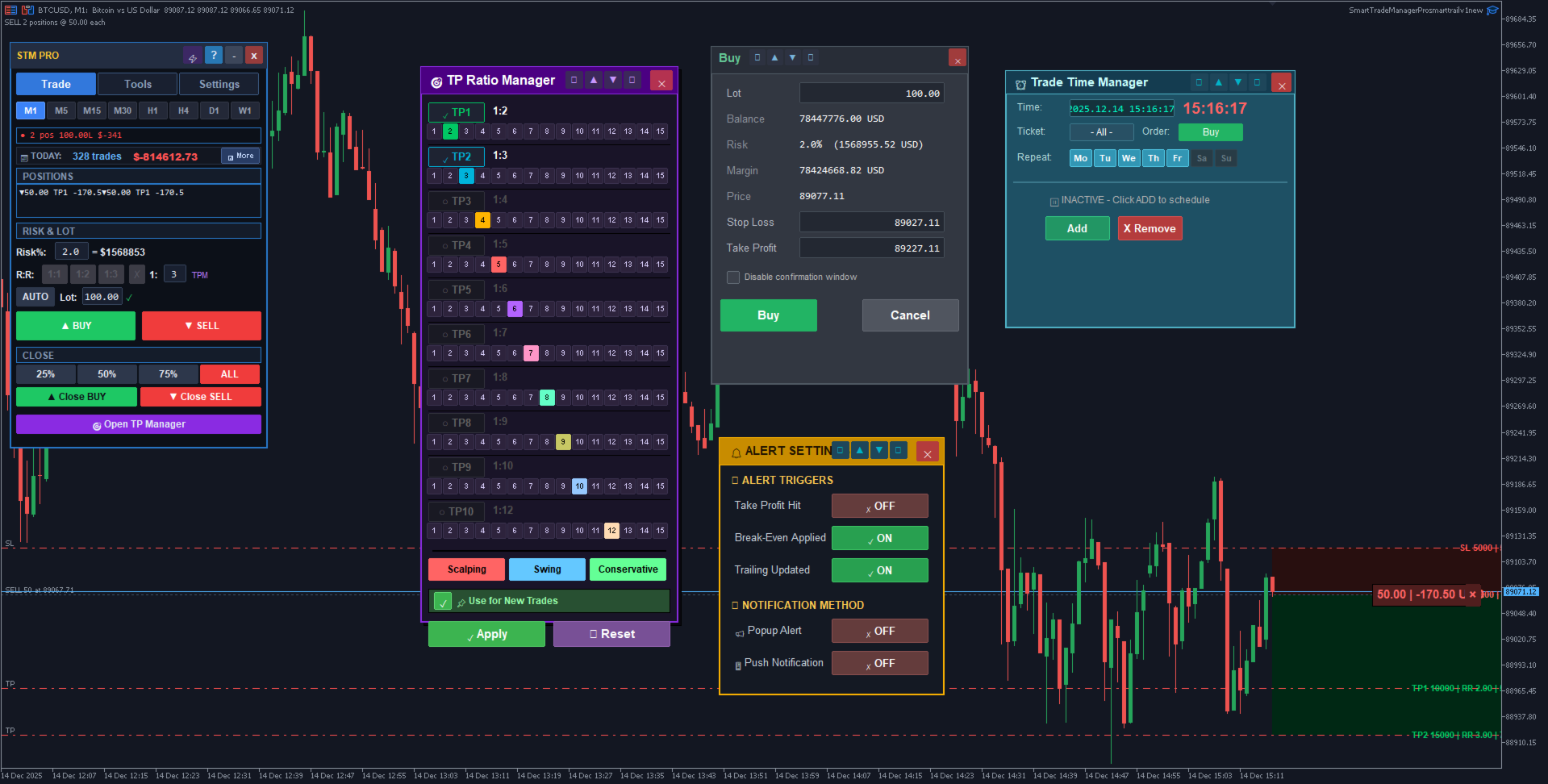
Smart Trade Manager Pro Smart Trail has a specific job inside a trading workflow. This guide explains that job in practical terms: when the tool makes sense, what to check before using it, and how to avoid the mistakes that usually turn a good-looking setup into a poor trading decision.
The goal is buyer education, not hype. A serious MT5 trader needs to understand market condition, broker execution, risk, and workflow before relying on any indicator, utility, or Expert Advisor.
Why Trade Management Matters More Than Traders Admit
Most traders spend too much time looking for entries and not enough time managing what happens after entry. A good entry can still become a bad trade if the stop is moved emotionally, profits are taken too early, or a winning position is allowed to reverse completely.
Smart Trade Manager Pro Smart Trail is built around the part of trading that happens after the click: trailing stop, breakeven, partial close, and structured risk control. For many traders, that is where consistency is won or lost.
How I Would Use Smart Trail
A trailing stop should match market behavior. A fixed tiny trail on gold may get hit by normal noise. A trail that is too wide may give back too much profit. The goal is to protect the trade after it proves itself, not to strangle the trade immediately.
I would first define when trailing begins. For example, after price reaches a certain profit threshold or after partial profit is secured. Starting too early often cuts winners short. Starting too late can make the tool irrelevant.
Breakeven and Partial Profit Logic
Breakeven is useful, but it is often misused. Moving to breakeven too quickly can turn good setups into scratch trades before the market has room to breathe. A better approach is to move to breakeven only after price has made a meaningful move in your favor.
Partial exits can reduce emotional pressure. When part of the position is closed, the trader can manage the rest more calmly. The key is to plan this before entry, not while panicking during the trade.
Who Benefits Most From This Utility
This tool fits manual traders, semi-automated traders, and anyone who struggles with exits. It is especially useful for traders who enter well but repeatedly give back profits because they do not have an exit process.
It is not a signal generator. That is a strength. Its job is to help manage risk after the trader has already chosen the trade.
Testing Before Live Use
Before using it with real positions, test every button on demo. Understand how partial close behaves on your broker, how trailing stop updates, how breakeven is calculated, and whether symbol specifications affect stop placement.
Trade management tools must be familiar before pressure hits. The worst time to learn a button is while a live trade is moving fast.
A Simple Exit Plan Template
Before entry, write the exit plan in one sentence: where the stop starts, when breakeven activates, where partial profit is taken, and when trailing begins. If that sentence is unclear, the trade is not ready.
Smart Trade Manager Pro Smart Trail can then execute the plan consistently. The tool is strongest when the trader already knows what should happen. It is weakest when used as a last-minute rescue button after the trade becomes stressful.
Why This Can Improve Psychology
A predefined manager reduces the need to make emotional decisions while a trade is open. That matters because open profit changes how traders think. They become afraid to lose gains, close too early, or move stops without a reason.
When the management plan is already programmed, the trader can focus on whether the original trade idea remains valid. This does not guarantee profit, but it removes many impulsive exit mistakes.
Before You Buy on MQL5
Use the official seller catalog to confirm current price, screenshots, comments, demo availability, version history, and supported platform. Seller-list links are more reliable than direct product links because MQL5 listings can change over time.
Read the guide, test the demo if available, start conservatively, and judge the product from process quality instead of one lucky trading day.
Frequently Asked Questions
Does Smart Trade Manager Pro create entries?
No. It is a management utility for trades after entry.
Can it help with partial closes?
Yes, it is designed around structured trade management including partial exits and trailing logic.
Should I test it on demo first?
Absolutely. Learn every function before using it on live positions.
View Smart Trade Manager Pro Smart Trail on MQL5
Open the official seller catalog for current pricing, screenshots, comments, demos, and installation options.
Open Seller List ->