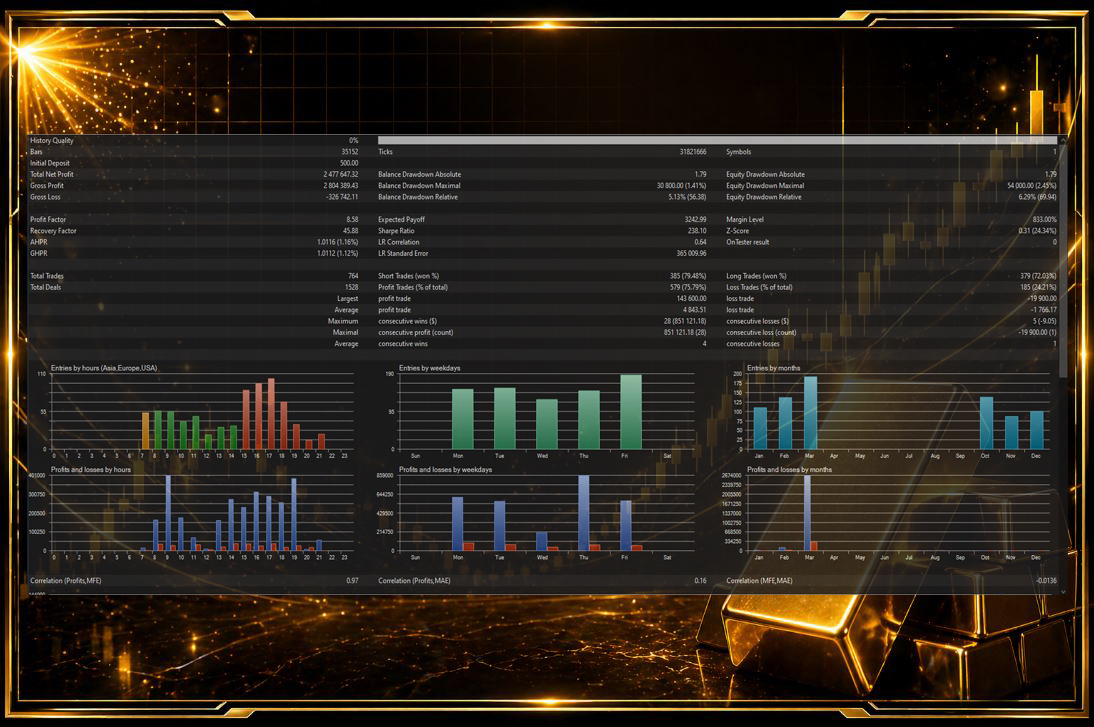
XAU Scalp Pro is listed through the official MQL5 seller catalog and should be evaluated with a real trading process, not hype. This guide explains where the product fits, what to check before use, and how to review results like a serious MT5 trader.
No product can remove risk from trading. The value comes from combining the tool with clear rules, conservative sizing, screenshot review, and a willingness to skip weak market conditions.
Why Gold Scalping Is Demanding
XAU Scalp Pro should be judged in the real conditions of gold trading. XAUUSD can move quickly, spreads can widen, and scalping systems depend heavily on execution quality. A strategy that looks smooth in a quiet backtest may behave differently during live volatility.
The EA can help automate entries and management, but it cannot control broker spread, slippage, VPS downtime, or emotional risk changes made by the trader. Those parts need a clear operating plan.
The First Demo Test
Start with a demo account that matches the broker type you plan to use live. Use conservative settings and record every session. The first goal is not maximum profit. The first goal is to understand when the EA opens trades, how long it holds them, what drawdown looks like, and which sessions create the cleanest behavior.
Track spread, number of trades, daily result, maximum floating loss, and whether any trades opened near news. This creates a useful profile of the EA before money is at risk.
Live Account Preparation
Before going live, confirm contract size, minimum lot, commission, stop level, leverage, and execution speed. Gold symbols can vary by broker. Even symbol names can differ, so settings must match the live account environment.
Use a VPS close to the broker server if possible. Automated scalping depends on stable connection and consistent execution. Running from an unstable home internet connection adds unnecessary risk.
Session and Spread Filters
A gold scalping EA should not be treated as a 24-hour money machine. Some sessions offer cleaner movement, while rollover and thin-liquidity periods can create poor fills. If the EA performs badly during one window, consider reducing operation time instead of changing many settings randomly.
Spread filters are also important. If spread widens beyond normal, the EA may enter at a disadvantage. A small scalping target can be damaged by a poor spread more than a swing trade would be.
Drawdown Review
Drawdown should be reviewed before profit. A week with profit but large floating risk may not be healthy. A flat week with controlled drawdown may be acceptable in poor conditions. Look at worst trade, worst sequence, average recovery time, and whether losses came from one market condition.
If losing trades cluster around news or low-liquidity hours, the fix may be a pause rule. If losses appear after late entries, the fix may be stricter conditions. Avoid changing risk upward after a short winning streak.
Safe Scaling
Scaling should happen slowly. Increase lot size only after the EA has shown stable behavior over enough trades and market conditions. Do not scale because of one good day. Gold can return a week of profit quickly if risk is too high.
A professional live setup includes small starting risk, maximum daily loss, maximum floating drawdown, news pause rules, VPS monitoring, and a weekly review. XAU Scalp Pro is most useful when automation is controlled by a disciplined trader.
When to Pause the EA
XAU Scalp Pro should have clear pause rules before live use. Major inflation data, central bank speeches, abnormal spread, platform connection problems, and unexpected drawdown are all valid reasons to stop automation and review. Pausing is not a failure; it is part of professional risk control.
A useful rule is to define the maximum daily loss and maximum floating drawdown before the EA starts trading. If either limit is reached, the system should be stopped for the day. This prevents one bad market condition from turning into a larger account problem.
Before You Buy on MQL5
Use the official seller list to confirm current price, screenshots, demo availability, comments, supported platform, and version history. Seller-list links are more reliable than direct product URLs because marketplace pages and product details can change over time.
Test carefully, start conservatively, and judge the product from repeatable behavior rather than one winning screenshot.
Frequently Asked Questions
What is XAU Scalp Pro used for?
It is an Expert Advisor for XAUUSD scalping automation, listed through the official MQL5 seller catalog.
Should I run it during news?
High-impact news can create spread and slippage risk, so traders should define pause rules before live use.
Is a VPS recommended?
Yes. A stable VPS is recommended for automated EA execution.
View XAU Scalp Pro on MQL5
Open the official seller catalog for current pricing, screenshots, comments, demos, and installation options.
Open Seller List ->