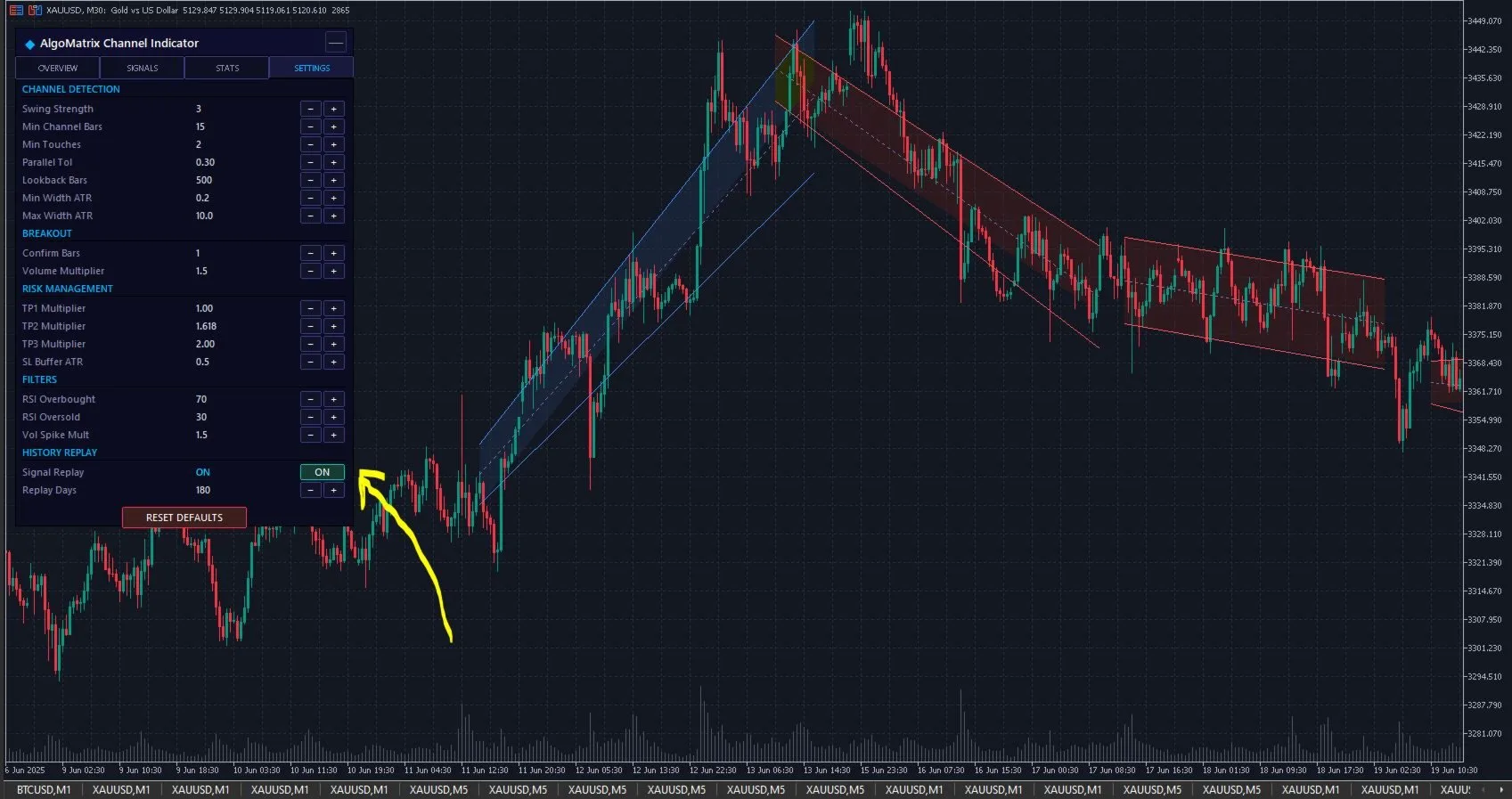
Drawing channels manually is one of those trading skills that sounds simple but isn't. You pick two swing lows, draw a line, duplicate it to the highs, and then 15 minutes later price action has shifted and your channel is already outdated. You redraw. It shifts again. Eventually, you're spending more time drawing lines than actually analyzing the market.
I built Smart Channel Pro to eliminate this entire problem. The indicator uses linear regression to calculate the mathematically optimal price channel and places standard deviation bands at 1σ and 2σ distances. It recalculates on every new bar, adapts to changing market structure, and shows you exactly where price sits relative to its statistical norm — all automatically.
This guide covers the math behind linear regression channels, why they're superior to manually drawn channels, how to trade with standard deviation bands, breakout detection, and the specific settings I recommend for different instruments.
Why Manual Channel Drawing Fails — The Subjectivity Problem
Ask five traders to draw a channel on the same chart and you'll get five different channels. One trader connects the last two swing lows. Another chooses three swing lows going back further. A third draws the line from wicks, while the fourth draws from closes. And the fifth argues the market is actually ranging, not channeling.
This subjectivity means your channel boundaries are essentially arbitrary. You're making trading decisions — entries, exits, stop losses — based on lines that another equally experienced trader would draw completely differently. That's not analysis. That's hope dressed up as technical work.
Linear regression eliminates this problem entirely. It doesn't pick two points — it uses every single closing price in the lookback period and calculates the best-fit line through all of them. The result is mathematically objective. Run it on the same data set a million times and you get the same channel.
How Linear Regression Channels Work
Linear regression is a statistical technique that finds the straight line that minimizes the total squared distance from each data point to the line. In trading terms, the regression line represents the "average path" of price over the lookback period.
If price has been trending upward over the last 120 bars, the regression line slopes upward. If it's been trending down, the line slopes down. If the market has been ranging, the line is nearly flat. No interpretation needed — the math tells you the trend direction and slope objectively.
Standard Deviation Bands — Your Statistical Edges
Once you have the regression line (the channel center), you can measure how far price typically deviates from that line. Standard deviation quantifies this spread. Smart Channel Pro plots two sets of bands:
The 1σ band sits one standard deviation above and below the regression line. Statistically, about 68% of price action falls within these boundaries. When price approaches the 1σ band, it's moderately overextended relative to its recent average — a potential area for the first wave of mean reversion traders to step in.
The 2σ band sits two standard deviations out. About 95% of price action falls within these boundaries. Price reaching the 2σ band is a statistical extreme — it happens only 5% of the time, making it a high-probability mean reversion zone or a genuine breakout signal.
The Visual Advantage of Channel Trading
Oscillators like RSI and Stochastic tell you a number — "RSI is 75, that's overbought." But they don't show you where in the price structure that overbought reading occurs. A channel indicator displays this directly on price. You can see that price is pressing against the upper 2σ band at a specific price level, which corresponds to a resistance area you can define your trade around.
This is why channel trading remains popular despite all the advanced indicators available — it keeps your analysis anchored to actual price levels rather than abstract oscillator values.
Smart Channel Pro Features That Matter
There are dozens of channel indicators on MQL5. Most of them draw a channel and stop there. Smart Channel Pro goes further with features that make actual trading easier.
Dual Standard Deviation Bands
Having both 1σ and 2σ bands visible simultaneously lets you create a layered trading approach. The 1σ band is your first alert — price is getting extended. The 2σ band is your action zone — price is at a statistical extreme and likely to revert or break out. Most channel indicators only show one band, forcing you to choose between conservative and aggressive. With both, you can scale into positions.
Dynamic Channel Color Coding
The channel fill color changes based on the regression slope direction. A rising channel fills with bullish colors (green/teal), a falling channel with bearish colors (red/orange), and a flat channel with neutral colors. This gives you instant trend direction feedback without looking at the slope angle number.
Breakout Detection and Alerts
When price closes beyond the 2σ band, Smart Channel Pro marks the candle and can trigger push notifications, sound alerts, or email alerts. This is critical because 2σ breakouts are rare events — they happen roughly once every 20+ bars during trending markets. If you're watching multiple charts, you can't catch every breakout visually. The alert system ensures you don't miss these high-probability setups.
R-Squared Value Display
This is a feature most traders haven't seen in a channel indicator, and it might be the most valuable one. R-squared measures how well the linear regression line fits the actual price data. A value of 1.0 means price follows the regression line perfectly (a straight-line trend). A value of 0.0 means there's no linear relationship (completely random movement).
In practical terms: when R-squared is above 0.7, the channel is reliable — price is respecting the linear structure well, and the standard deviation bands will catch reversals accurately. When R-squared drops below 0.4, the market is choppy and the channel structure is unreliable — you should probably sit on your hands.
Smart Channel Pro displays R² directly on the chart so you always know how much to trust the current channel.
Three Trading Strategies with Smart Channel Pro
Strategy 1: Mean Reversion at the Bands
This is the classic channel trading strategy. When price touches or exceeds the upper 2σ band in an uptrending or flat channel, you look for short entries targeting a move back toward the regression line. When price touches the lower 2σ band, you look for long entries.
Key filters: Only take mean reversion trades when R² is above 0.5 (channel structure is intact), and avoid this strategy when the regression slope is steep (strong trends override mean reversion). The ideal setup is a moderate slope with R² between 0.6 and 0.85 — stable enough for the channel to be reliable, but not so straight-line trending that price will just blow through the band.
Entry: Candle close beyond 2σ or touching 2σ with a reversal candlestick pattern (hammer, engulfing).
Stop loss: 1.5× ATR beyond the entry candle's extreme.
Take profit: The regression line (center of channel) for TP1, the opposite 1σ band for TP2.
Strategy 2: Breakout Continuation
When price closes beyond the 2σ band AND the regression slope is steep in the same direction, it's more likely a genuine breakout than a mean reversion opportunity. Strong trends regularly push price beyond 2σ bands.
Key filters: The regression slope should be above a threshold (steep trend), and R² should ideally be increasing (trend is tightening). If R² is above 0.8, the trend is very linear and 2σ breakouts often continue rather than revert.
Entry: On the close of the bar that breaks beyond 2σ, in the direction of the breakout.
Stop loss: The regression line (channel center).
Take profit: Project the channel width beyond the breakout point for TP1 (1× channel width), and 2× width for TP2.
Strategy 3: Channel Slope Change
The most powerful signal from a linear regression channel isn't at the bands — it's when the slope changes direction. When a rising channel flips to a falling slope, it means the mathematical best-fit line for recent price data has shifted from up to down. This is an early trend reversal signal.
Smart Channel Pro makes this visible through the color change in the channel fill. When you see the color transition, check the R² value. If it's rising (new trend gaining structure), the slope change is likely genuine. If R² is dropping (market becoming choppy), the slope change might just be a transition to a range rather than a new trend.
Entry: First candle close on the correct side of the regression line after a slope change, confirmed by R² above 0.4.
Stop loss: The recent extreme (high if going short, low if going long).
Take profit: The opposite 1σ band or a risk-reward target of 2:1.
Recommended Settings by Market Type
XAUUSD (Gold) on M15-H1
Gold trends strongly during London and New York sessions, making it ideal for channel trading. Use a lookback of 120 bars on H1 (captures about 5 trading days) or 200 bars on M15 (captures about 2.5 days). The default 2σ standard deviation multiplier works perfectly for gold — its volatility clusters are well-captured by this setting.
Focus on mean reversion at the bands during the first half of London session when gold often chops between levels, then switch to breakout continuation during NFP and other high-impact news events when price blows through channels entirely.
Major Forex Pairs on H1-H4
EURUSD and GBPUSD on H4 with a 120-bar lookback give excellent channels that last for weeks. The key here is R² — these pairs often alternate between strong trending phases (R² above 0.7) and ranging phases (R² below 0.4). Only trade the channel when R² supports it.
For USDJPY, increase the lookback to 150 bars because JPY pairs tend to have wider price swings that need more data to establish a reliable regression line.
Indices (US30, NAS100) on H1
Indices are among the best instruments for channel trading because they have a natural upward bias during bull markets. A 120-bar channel on US30 H1 during a bullish phase will often show R² above 0.7 for extended periods. Mean reversion from the lower 1σ band in an upsloping channel is one of the highest-probability setups in all of technical trading.
Crypto (BTCUSD) on H4-Daily
Bitcoin's extreme volatility means channels need wider lookbacks — use 200+ bars on H4 or 100+ bars on Daily. Consider using 2.5σ or 3σ for the outer band instead of the default 2σ, because crypto prices regularly exceed 2σ during normal trending without it constituting a genuine breakout. The R² filter becomes essential here — only trust the channel when R² is above 0.6.
Combining Smart Channel Pro with Other Indicators
A channel indicator tells you where price is relative to its statistical norm. What it doesn't tell you is whether the conditions at the channel boundary favor a reversal or continuation. That's where complementary indicators help.
Volume Confirmation
When price reaches the 2σ band on declining volume, mean reversion is more likely — sellers (at the upper band) are running out of steam. When it reaches 2σ on increasing volume, a breakout is more likely — new participants are pushing price to new levels. Watch tick volume or real volume if your broker provides it.
Order Block or Supply/Demand Zones
If a 2σ band touch coincides with a supply or demand zone identified by a tool like Order Block Sniper Pro, the probability of that level holding increases significantly. The channel gives you the statistical extreme; the order block gives you the institutional footprint. When both agree, you have a high-conviction setup.
Momentum Divergence
Price at the upper 2σ band with RSI showing bearish divergence is a stronger short signal than price at 2σ alone. The channel tells you price is overextended; the divergence tells you momentum is fading. This combination catches many major swing highs and lows.
Common Mistakes in Channel Trading
Ignoring R-Squared
Trading a channel when R² is 0.2 is like trading support/resistance on a chart that has none — the lines are there but meaningless. Always check R² before making decisions based on the channel. Below 0.4, the channel is noise.
Fighting Strong Trends at 2σ
During powerful trends, price can ride along the 2σ band for dozens of bars. Shorting every touch of the upper 2σ during a strong bull trend leads to a string of losing trades. Check the slope steepness — if the channel is steeply angled, respect the trend and only trade in the slope direction.
Using Too Short a Lookback
A 20-bar lookback creates a channel that whips around with every minor swing. The regression line changes slope frequently, bands expand and contract erratically, and signals become unreliable. Start with at least 80-120 bars and only reduce it if you have a specific scalping reason.
Not Adjusting for Instrument Volatility
The default 2σ band works for most forex majors and gold. But for crypto, certain commodity pairs (like XAGUSD which gaps frequently), or very low-volatility pairs (EURCHF), adjusting the standard deviation multiplier makes a significant difference. Higher volatility instruments may need 2.5σ or 3σ for the outer band to avoid constant false breakout signals.
Why Smart Channel Pro Over Free Channel Indicators
There are free linear regression channel indicators available. I'll be direct about what $59 buys you that free versions don't offer.
First: R-squared display. No free channel indicator I've found shows R² on the chart. Without it, you're trading channels blind — you don't know if the channel structure is reliable or random noise. This single feature prevents more bad trades than any other.
Second: Dual standard deviation bands. Free indicators typically show one band at one standard deviation level. Smart Channel Pro shows both 1σ and 2σ simultaneously, giving you a complete statistical picture for layered entries and exits.
Third: Breakout detection with alerts. Free indicators draw the channel and that's it. Smart Channel Pro watches for 2σ breakouts in real-time and sends push notifications so you can monitor multiple charts without staring at all of them.
Fourth: Professional visual design with dark theme support, customizable colors, clean labels, and a dashboard that doesn't clutter your chart. This sounds cosmetic, but when you're trading 6+ charts daily, visual clarity directly impacts your decision quality.
The combination of these features means you're trading with statistically grounded, visually clear, and alert-equipped channel analysis rather than basic lines-on-chart approach.
Getting Started
Download Smart Channel Pro from the MQL5 Market. Load it on any chart — XAUUSD H1 is a good starting point. The indicator immediately draws the linear regression channel with both standard deviation bands and displays the R² value.
Spend a few sessions observing before trading. Watch how price behaves at the 1σ and 2σ bands. Note the R² value when the channel seems reliable versus when it doesn't. You'll quickly develop an intuition for which setups to take and which to skip.
The default lookback of 120 bars and 2σ multiplier work well for most instruments on H1 and above. Adjust from there based on the instrument's behavior and your preferred timeframe.
Disclaimer: This article describes a trading indicator for educational purposes. Trading involves significant risk of loss. Past performance does not guarantee future results. Always use proper risk management and only trade with capital you can afford to lose.